EdgeWright for GRBL Users: AI-Powered CAM Software for Maker-Grade CNC Routers

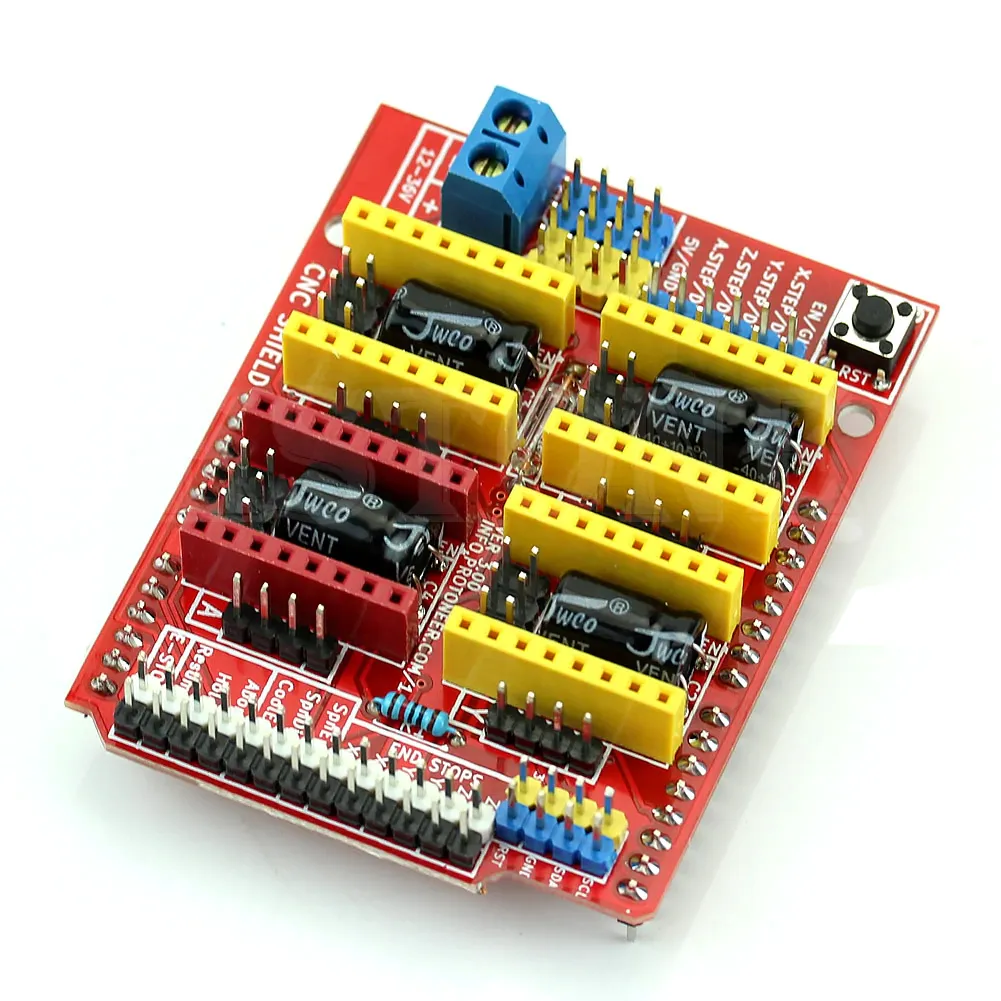
EdgeWright for GRBL Users: AI-Powered CAM Software for Maker-Grade CNC Routers
You chose a GRBL-powered machine because you wanted capable CNC capabilities without breaking the bank. Whether you're running a Shapeoko, X-Carve, Sainsmart, or custom-built router, GRBL gives you open-source reliability and a huge community of makers.
But creating toolpaths shouldn't require a degree in CAD/CAM.
EdgeWright is AI-native CAM software built for the GRBL ecosystem. Generate professional toolpaths in seconds using natural language commands—no manual programming, no 47-step wizards, no frustration.
Why GRBL Users Are Switching to EdgeWright
1. AI That Actually Understands What You Want
Traditional CAM software forces you through endless menus:
- Select operation type
- Pick geometry
- Choose tool
- Set feeds and speeds
- Configure depth of cut
- Define stepover percentage
- Add lead-in/lead-out
- Generate toolpath
- Hope it works
EdgeWright's AI replaces 20 clicks with one sentence:
"Cut this logo out of 1/2-inch MDF with a 1/8-inch bit"
EdgeWright:
- Selects the right tool from your library
- Calculates optimal feeds and speeds for MDF
- Sets appropriate depth per pass (based on bit diameter)
- Generates profile toolpath with proper lead-in
- Adds tabs to hold the part in place
- Exports GRBL-compatible G-code
What takes 15 minutes in traditional CAM takes 30 seconds in EdgeWright.
2. GRBL-Optimized G-Code
GRBL is powerful but has specific requirements. EdgeWright generates code that works perfectly with your controller:
EdgeWright's GRBL post-processor:
- Clean, efficient G-code formatting
- Proper coordinate precision (0.001 mm accuracy)
- Arc commands (G2/G3) for smooth curves
- Safe Z-heights for rapids and tool changes
- Spindle control (M3/M4/M5) with RPM commands
- Feed rate optimization for different operations
- Compatible with all GRBL senders (UGS, CNCjs, bCNC, Candle, gSender)
No manual editing. No "why did it crash?" moments. Just reliable G-code that runs.
3. Perfect for Hobbyist Budgets
GRBL users are often hobbyists, makers, and small shop owners. Software costs matter.
Expensive CAM software:
- VCarve Desktop: $349 (limited features)
- VCarve Pro: $699 (full features)
- Fusion 360: $545/year (complex overkill)
Free CAM software:
- Carbide Create: Limited features, Shapeoko-specific
- Easel: Web-based but very basic, X-Carve-focused
- Inkscape + plugins: Clunky workflow, lots of manual work
EdgeWright bridges the gap:
- Affordable subscription pricing
- Professional features (V-carve, nesting, parametric cabinets)
- AI assistance (no steep learning curve)
- Web-based (no installation, works on any OS)
You get pro-level CAM without the pro-level price tag.
4. Parametric Cabinet Builder
Many GRBL users build cabinets, shop storage, and custom furniture. Traditionally, this means hours of CAD work.
EdgeWright's parametric cabinet engine automates it:
Traditional workflow:
- Measure and design cabinet in CAD (2-3 hours)
- Draw every panel manually
- Add dado slots for shelves
- Create toolpaths for each part
- Manually nest parts on plywood
- Generate G-code
EdgeWright workflow:
- Enter dimensions: 36"H × 24"W × 12"D
- Select: Open shelves, 3 adjustable, face frame
- EdgeWright generates everything: panels, dados, hardware holes, nested layout
- Download GRBL G-code
Time saved: 2+ hours per project = more time cutting, less time clicking.
5. Smart Nesting Saves Material
GRBL machines have limited work areas:
- Shapeoko: 16×16" to 33×49" depending on model
- X-Carve: 30×30" or 50×50"
- Generic 3018/3040: 12×18" or smaller
Every square inch of material matters.
Manual nesting:
- Drag parts around by hand
- Guess at spacing
- Hope you didn't waste too much material
- Result: 70-75% utilization (25-30% waste)
EdgeWright smart nesting:
- FFDH algorithm optimizes placement
- Automatic 90-degree rotation for best fit
- Multi-sheet layouts for big projects
- Result: 85-92% utilization (8-15% waste)
On a $50 sheet of plywood, that's $7-12 saved per sheet. Over 20 sheets, that's $140-240 recovered.
6. V-Carving Without the Pain
V-carving is where GRBL machines really shine—smooth curves, detailed text, decorative signs. But traditional CAM makes it tedious.
EdgeWright's AI-powered V-carving:
- Upload your logo (PNG, JPG, SVG)
- EdgeWright auto-traces vectors from the image
- Tell AI: "V-carve this in pine"
- EdgeWright calculates optimal depth, angles, and feeds
- Generates toolpath with smooth motion
- Export GRBL G-code
No manual tracing. No trial-and-error test cuts. Just AI-optimized V-carve toolpaths.
7. Image Carve: From Photo to 3D Relief
Want to carve photos, landscapes, or portraits? EdgeWright's Image Carve feature makes it simple:
Workflow:
- Upload any image (PNG, JPG, BMP, TIFF)
- Use drag-to-crop tool to select area
- Preview depth heatmap (light = shallow, dark = deep)
- Export options:
- STL file for 3D mesh (import to other tools)
- DXF iso-contours for layered depth cuts
- G-code directly with adaptive toolpaths
GRBL machines handle relief carving beautifully. EdgeWright makes setup effortless.
8. Web-Based: Works on Everything
GRBL runs on Windows, Mac, Linux, even Raspberry Pi. EdgeWright matches that flexibility.
Run EdgeWright on:
- Windows laptop (any version)
- Mac (no compatibility issues)
- Linux desktop (Ubuntu, Fedora, Arch, etc.)
- iPad or Android tablet (shop-floor access)
- Chromebook (yes, really)
How it works:
- Design toolpaths in your browser
- Cloud storage (SQLite database, automatic saves)
- Share project links (no file attachments)
- Download GRBL G-code when ready
- Load into your favorite GRBL sender
No installation. No licensing headaches. No "this software requires Windows 10 or newer."
EdgeWright vs Traditional CAM for GRBL
| Feature | Free CAM (Easel/Carbide) | Paid CAM (VCarve) | EdgeWright |
|---|---|---|---|
| AI Assistant | ❌ | ❌ | ✅ Natural language |
| V-Carve | Basic | Advanced | ✅ AI-powered |
| Parametric Cabinets | ❌ | ❌ | ✅ Automated |
| Smart Nesting | ❌ | Manual | ✅ AI-optimized |
| Image Carve | ❌ | Limited | ✅ STL/DXF export |
| 3D Preview | Limited | ✅ | ✅ |
| Web-Based | Some | ❌ | ✅ |
| Cross-Platform | Limited | Windows/Mac | ✅ Any device |
| GRBL Post-Processor | ✅ | ✅ | ✅ Optimized |
| Learning Curve | Easy but limited | Steep | Gentle (AI help) |
| Price | Free (limited) | $349-699 | Affordable subscription |
Perfect for GRBL Maker Projects
Sign Making & Engraving
Project: Custom wooden sign with logo and text
Traditional CAM:
- Import logo, manually trace vectors
- Set up V-carve toolpath parameters
- Create pocket clearing for background
- Add text with separate toolpath
- Preview and hope it looks good
- Time: 45-60 minutes
EdgeWright:
- Upload logo image
- Tell AI: "V-carve the logo, pocket clear the background 2mm deep"
- AI generates both toolpaths with proper depth and feeds
- Preview in 3D
- Export GRBL code
- Time: 3-5 minutes
Small Furniture & Shop Projects
Project: Wall-mounted tool cabinet with shelves and doors
EdgeWright parametric cabinet:
- Enter: 48"W × 36"H × 8"D, 4 shelves, 2 doors
- EdgeWright generates: All panels, dado joinery, hinge boring, handle holes
- Smart nesting across plywood sheets
- Optimized cut order (minimize tool changes)
- GRBL G-code ready to cut
Traditional CAM would take 3-4 hours of manual design. EdgeWright: 10 minutes.
Decorative Inlays & Artwork
Project: Inlay coasters with intricate patterns
EdgeWright inlay workflow:
- Import pattern design (DXF or SVG)
- Generate male and female mating toolpaths
- AI calculates offset compensation (for tight fit)
- Preview fit tolerance
- Export GRBL code for both parts
GRBL's repeatable positioning + EdgeWright's precision toolpaths = perfect-fit inlays.
PCB Isolation Milling
Project: Circuit board prototypes (CNC milling instead of etching)
EdgeWright workflow:
- Import Gerber or DXF traces
- Set up isolation routing (0.1-0.5mm traces)
- AI optimizes tool engagement for fine work
- Generate GRBL code with precise feeds for FR4
- Cut on your GRBL machine with engraving bit
Maker-grade GRBL machines are perfect for PCB work. EdgeWright makes toolpath generation effortless.
3D Relief Carving
Project: Decorative panels, gun grips, ornamental details
EdgeWright Image Carve:
- Upload reference image
- Export as STL for 3D mesh preview
- Generate adaptive toolpaths (roughing + finishing)
- GRBL-optimized code with proper stepdown and stepover
- Cut with ball-nose bit for smooth surface finish
GRBL handles 3D carving smoothly. EdgeWright handles the complex toolpath math.
GRBL-Specific Optimizations
EdgeWright understands GRBL's characteristics and generates appropriate code:
Motion Control
- Arc support: G2/G3 commands for smooth curves (GRBL v1.1+ handles arcs beautifully)
- Feed rate management: Proper F-word placement for GRBL's modal interpretation
- Acceleration limits: Toolpaths respect typical GRBL machine acceleration capabilities
G-Code Formatting
- Clean syntax: No unnecessary commands cluttering the code
- Proper coordinates: 3-decimal precision (0.001mm accuracy)
- Comment support: Optional labels for debugging (disable if using basic senders)
Work Area Safety
- Safe Z-heights: Proper clearance for rapids (avoids collisions)
- Soft limits friendly: Code stays within defined work envelope
- Home position awareness: G28/G30 support for return-to-home operations
Spindle Control
- RPM commands: S-word values for variable-speed spindles
- Dwell time: G4 pauses for spindle spin-up (configurable)
- Direction control: M3 (CW) or M4 (CCW) as needed
GRBL Sender Compatibility
EdgeWright's output works with all popular GRBL senders:
- Universal Gcode Sender (UGS): Java-based, cross-platform
- CNCjs: Web-based sender with streaming
- bCNC: Python-based with advanced features
- Candle: Windows native sender
- gSender: Sienci Labs sender for LongMill (works with all GRBL)
Common Questions from GRBL Users
Does EdgeWright work with my GRBL version?
Yes. EdgeWright generates standard G-code compatible with GRBL v0.9, v1.1, and v1.1h (32-bit). The core command set is consistent across versions.
What about laser mode (M4)?
EdgeWright's GRBL post-processor uses M3 (constant RPM) by default. Laser-specific features (M4 dynamic power) are not currently implemented, as EdgeWright focuses on routing/milling operations.
Can I use it with a Chinese 3018/3040 machine?
Absolutely. These machines run GRBL firmware (usually v0.9 or v1.1). EdgeWright's G-code works perfectly. Just set your work area size correctly in your GRBL sender.
Does it support tool changes for machines without ATCs?
Yes. EdgeWright inserts M6 (tool change) commands where needed. For manual tool changes, your GRBL sender will pause, you swap the bit, then resume. EdgeWright's G-code includes proper Z-retract before tool changes for safety.
What about work coordinate systems (G54-G59)?
GRBL supports G54-G59 (six work offsets). EdgeWright can target specific work offsets in the post-processor. Default is G54 (first work coordinate system).
Can I import files from Carbide Create or Easel?
Export your designs as DXF or SVG from those tools, then import to EdgeWright. Geometry transfers perfectly. EdgeWright will regenerate toolpaths with AI assistance.
How does nesting work with small GRBL machines?
EdgeWright's nesting algorithm respects your work area size. For small machines (like 3018 with 12×18" work area), it optimizes within that constraint. For larger projects, it generates multi-sheet layouts.
Getting Started with EdgeWright on Your GRBL Machine
1. Sign Up: Visit edgewright.ai
2. Import or Design: Upload DXF/SVG, use AI to generate geometry, or use Cabinet Designer
3. AI-Guided Toolpaths: Tell EdgeWright what you need in plain English
4. Preview in 3D: Visualize toolpaths before cutting
5. Export GRBL G-Code: Download optimized code for your machine
6. Load in Sender: Use UGS, CNCjs, Candle, or your preferred GRBL sender
7. Cut: Run the job on your machine
Most users are cutting their first part within 30 minutes of signup.
Key EdgeWright Features for GRBL Users
DXF/SVG Import:
- Profile cuts (outside, inside, on-line)
- Pocket clearing with island detection
- Drill cycles for boring operations
V-Carve Toolpaths:
- AI-powered depth calculation
- Auto-tracing from images
- Variable-depth carving based on brightness
Cabinet Designer:
- Parametric generation (width/height/depth inputs)
- Frameless or face frame styles
- Automated dado joinery
- Blum hardware patterns (drawer slides, hinges)
- Custom shelf and door configurations
Smart Nesting:
- FFDH shelf-pack algorithm
- 90-degree rotation optimization
- Multi-sheet layouts with navigation
- Real-time utilization feedback
Image Carve:
- Upload any image format
- Drag-to-crop selection tool
- Export as STL (3D mesh) or DXF (contours)
- Direct relief G-code generation with depth preview
Toolpath Preview:
- 3D visualization of all tool movements
- Simulation before cutting (catch mistakes early)
- Estimated run time
Universal Post-Processors:
- GRBL (optimized for maker machines)
- Also supports UCCNC, Mach3, Mach4, LinuxCNC
Project Persistence:
- Cloud-based SQLite database
- Automatic project saves (never lose work)
- List, load, and delete projects easily
AI Assistant:
- Natural language toolpath generation
- Feed/speed recommendations
- Material-specific optimizations
- Cabinet design from text descriptions
Why GRBL Users Need EdgeWright
You chose GRBL because you wanted affordable, open-source CNC capability. You shouldn't have to compromise on software quality.
Free CAM tools:
- Too basic (Easel, Carbide Create)
- Limited features (no parametric design, poor nesting)
- Platform-locked (web-only or desktop-only)
Expensive CAM tools:
- Out of budget for hobbyists ($349-699+)
- Steep learning curve (weeks of training)
- Overkill for router work (designed for metal machining)
EdgeWright hits the sweet spot:
- Affordable subscription pricing (accessible to makers)
- Professional features (V-carve, nesting, cabinets)
- AI assistance (productive immediately, no steep learning curve)
- Web-based (works on any device, any OS)
- GRBL-optimized (code that works perfectly with your machine)
You invested in a capable GRBL machine. EdgeWright ensures you can actually use its full potential without frustration or expensive software.
Ready to Supercharge Your GRBL Workflow?
Visit edgewright.ai to get started:
- Generate your first toolpath with AI in under 2 minutes
- See GRBL-optimized G-code output
- Try parametric cabinet generation
- Experience automatic smart nesting
- Export production-ready code for your machine
EdgeWright: AI-powered CAM software built for GRBL makers.
EdgeWright — Modern CAM software for GRBL, UCCNC, Mach3, Mach4, and LinuxCNC users. Professional features, maker-friendly pricing, AI-powered simplicity.