EdgeWright for LinuxCNC Users: AI-Powered CAM for Open-Source CNC Control

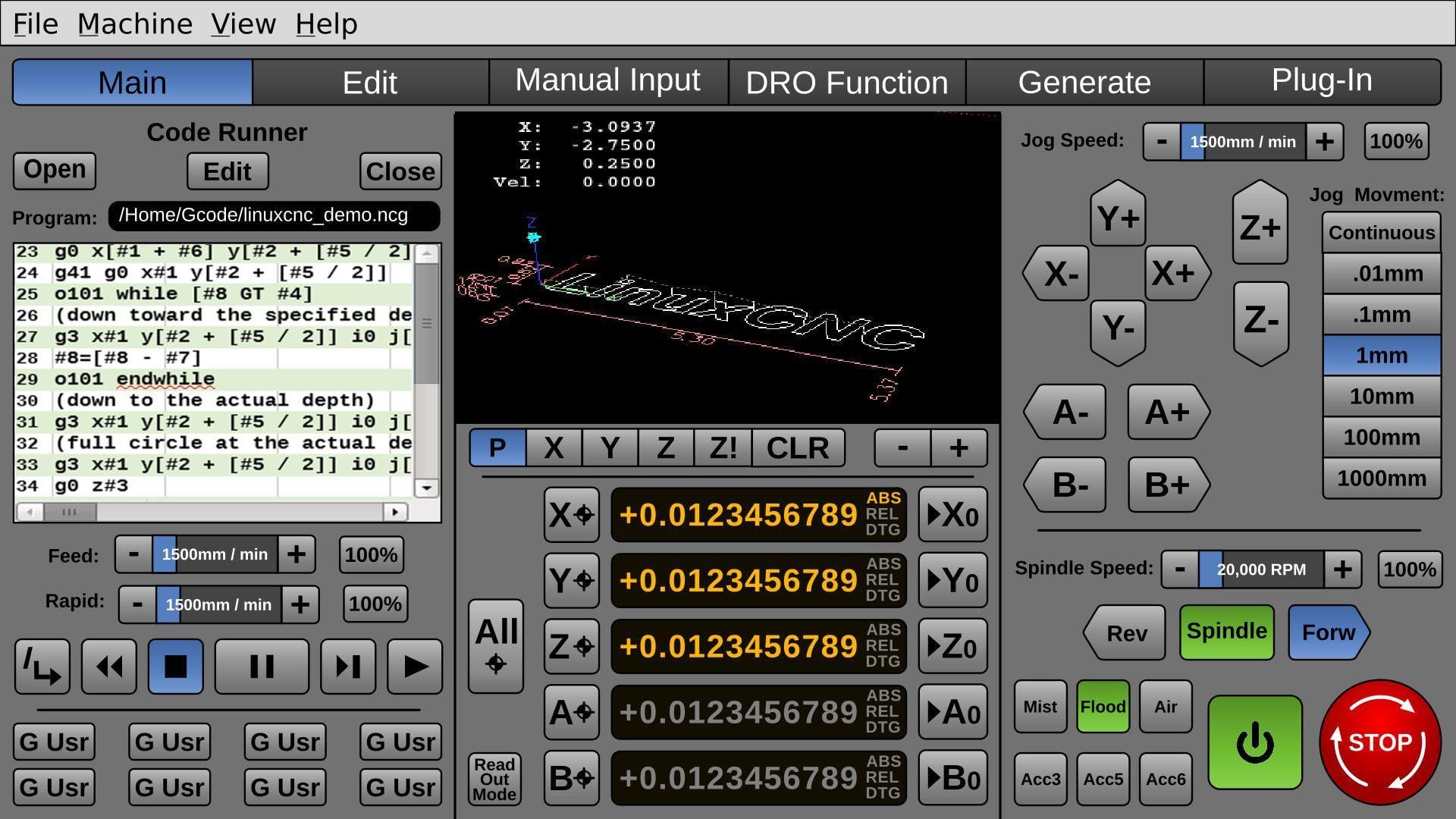
EdgeWright for LinuxCNC Users: AI-Powered CAM for Open-Source CNC Control
You chose LinuxCNC because you wanted complete control. No black-box firmware, no proprietary limitations, no vendor lock-in. You got real-time Linux, microsecond timing, infinite configurability, and a motion controller that can run anything from a 3-axis router to a 9-axis mill-turn.
Your controller is the most sophisticated open-source CNC platform on the planet.
EdgeWright is AI-native CAM software built for LinuxCNC's capabilities. Generate professional toolpaths with natural language commands, then export G-code optimized for LinuxCNC's advanced motion planning.
Why LinuxCNC Users Are Choosing EdgeWright
1. AI-Powered CAM for Advanced Operators
LinuxCNC users are serious machinists—often engineers, makers, and professionals who built their own machines or retrofitted industrial equipment. You understand kinematics, PID tuning, HAL configuration, and G-code at a deep level.
EdgeWright's AI doesn't replace your expertise—it accelerates your workflow.
Traditional CAM workflow for a complex part:
- Import geometry (DXF, STEP, IGES)
- Define stock and fixtures
- Plan toolpath strategy (rough, semi-finish, finish)
- For each operation:
- Select tool from library
- Configure feeds, speeds, depth of cut, stepover
- Set up lead-in/lead-out, helical/ramp entry
- Define clearance heights and safe retracts
- Configure coolant on/off
- Generate toolpaths
- Verify in simulator (collision detection, gouge checking)
- Post-process to LinuxCNC G-code
- Load in Axis/gmoccapy/QtVCP, set work offsets
- Run job
Time: 30-60 minutes for moderately complex parts
EdgeWright AI-assisted workflow:
Tell EdgeWright: "Rough with 1/2" endmill at 150 IPM, 0.5" depth, helical entry, finish with 1/4" ball at 80 IPM, 10% stepover, leave 0.010" stock, ramp on/off"
EdgeWright:
- Generates adaptive roughing toolpath with helical plunge
- Optimizes step-down based on material and engagement
- Creates finish pass with specified stepover and ramping
- Adds proper lead-in/lead-out moves
- Exports LinuxCNC G-code with optimized formatting
Time: 2-3 minutes + verification
You still review and optimize. AI just handled 90% of the clicking.
2. LinuxCNC-Optimized Post-Processor
LinuxCNC's G-code interpreter is the most capable in the open-source world. EdgeWright generates code that takes full advantage.
EdgeWright's LinuxCNC post-processor:
- O-word subroutines: Efficient code with loops and conditionals
- Parameter support: #-variables for flexible positioning and calculations
- Tool table integration: T-word calls that reference LinuxCNC tool table (automatic offset loading)
- Real-time precision: Coordinate output matches LinuxCNC's real-time kernel resolution
- G-code extensions: Support for LinuxCNC-specific commands:
- G33 (synchronized threading)
- G76 (threading cycle)
- G38.x (probing cycles)
- G43/G43.1 (tool length compensation)
- Named parameters: Use of #<_x>, #<_y>, etc. for readable code
- Proper modal handling: Optimized for LinuxCNC's interpreter behavior
Unlike generic G-code that ignores LinuxCNC's advanced features, EdgeWright's output is tuned for your controller's capabilities.
3. Parametric Cabinet Engine for Production
LinuxCNC machines often serve professional environments—custom furniture, architectural millwork, industrial fixtures, prototyping labs.
Traditional cabinet workflow:
- Customer specifications (dimensions, style, materials)
- CAD drafting: panels, frames, shelves (2-4 hours)
- Joinery design: dados, rabbets, dowel holes (30-60 minutes)
- Hardware layout: hinges, slides, pulls (30 minutes)
- Toolpath creation: profile, pocket, drill for each part (1-2 hours)
- Manual nesting on sheet goods (30-60 minutes)
- Post-processing for LinuxCNC (15-30 minutes)
Total: 5-8 hours per cabinet project
EdgeWright parametric cabinet workflow:
Input parameters:
- Cabinet type: Base, wall, tall, drawer bank
- Dimensions: Width, height, depth
- Construction: Frameless (European 32mm) or face frame (American)
- Joinery: Dado, rabbet, dowel, pocket screw
- Hardware: Blum undermount slides, Hettich hinges, custom pulls
- Material: 3/4" birch plywood, 1/4" back
- Finish allowance: Painted (0.015") or stained (0.010")
EdgeWright generates:
- Complete cut list with all panels (grain-optimized)
- Automated dado placement (shelf positions, back rabbets)
- Hardware boring patterns:
- 32mm European adjustable shelf system
- Blum drilling templates for undermount slides
- Hinge boring (35mm cup, proper spacing)
- Face frame components with pocket holes (if applicable)
- Smart nesting across sheets (85-95% utilization)
- Optimized toolpath order:
- All drilling (minimize tool changes)
- Dadoes and rabbets
- Profile cuts
- LinuxCNC G-code with subroutines for repeating operations
Total time: 10-20 minutes
Time saved: 4.5-7.5 hours = $450-$750 at $100/hour shop rate per project
For production shops: $4,500-$15,000 monthly in recovered labor costs.
4. Smart Nesting with Industrial Efficiency
LinuxCNC machines often have large work envelopes—4×8 feet or custom builds even larger. Material efficiency directly impacts profitability.
Manual nesting limitations:
- Time-consuming: 45-90 minutes per full-sheet layout
- Suboptimal placement: human visual estimation
- No rotation analysis
- Typical utilization: 70-80%
EdgeWright FFDH nesting algorithm:
- Automatic optimal placement (3-second computation)
- 90-degree rotation for best fit
- Multi-sheet management with sheet navigation
- Grain direction consideration (critical for plywood)
- Real-time utilization feedback
- Typical utilization: 85-95%
ROI example:
Shop using 100 sheets per month:
- Material cost per sheet: $85 (cabinet-grade plywood)
- Manual nesting: 75% utilization → 25% waste = $2,125/month
- EdgeWright nesting: 90% utilization → 10% waste = $850/month
- Savings: $1,275/month = $15,300/year
Over 5 years: $76,500 in recovered material costs.
5. Advanced V-Carving with Real-Time Precision
LinuxCNC's real-time kernel delivers microsecond-level motion control—perfect for detailed V-carving and engraving.
Traditional V-carve setup:
- Import logo (vector or trace from bitmap)
- Configure V-carve toolpath wizard
- Set V-bit angle (60°, 90°, 120°)
- Define maximum depth
- Calculate line weights → cut depths manually
- Set feed rates for varying depths
- Generate toolpath
- Verify in simulator
- Test cut on scrap
- Adjust and regenerate
EdgeWright AI V-carve:
- Upload logo (PNG, JPG, SVG)
- EdgeWright auto-traces vectors from images
- Tell AI: "V-carve this in walnut, max depth 3mm, 90° bit"
- EdgeWright:
- Analyzes logo line weights
- Calculates optimal depths per segment
- Selects appropriate feeds for varying engagement
- Generates smooth toolpath with corner optimization
- Export LinuxCNC G-code (can use subroutines for repeated elements)
- Cut—optimized for first-run success
LinuxCNC's real-time control + EdgeWright's AI toolpaths = gallery-quality carved work without trial-and-error.
6. Image Carve: Photos to 3D Relief
EdgeWright's Image Carve transforms images into 3D relief toolpaths with professional results.
Workflow:
- Upload high-resolution image (PNG, JPG, BMP, TIFF)
- Drag-to-crop tool selects carving area
- Preview depth heatmap:
- Bright = shallow
- Dark = full depth
- Real-time visualization
- Export options:
- STL format: 3D mesh for inspection or other CAM
- DXF iso-contours: Layered depth lines
- Direct G-code: Adaptive roughing + ball-nose finishing
EdgeWright's adaptive strategy:
- Roughing: Large endmill (6mm/1/4"), aggressive stepdown, fast material removal
- Semi-finish: Smaller endmill (3mm/1/8"), finer stepover
- Finish: Ball-nose bit (R1mm/R2mm), fine stepover (5-10% diameter)
LinuxCNC's trajectory planning ensures smooth motion and scallop-free surface finish.
7. Web-Based with Professional Workflow Integration
LinuxCNC runs on Linux (Ubuntu, Debian, Mint, even Raspberry Pi). EdgeWright runs everywhere.
EdgeWright browser-based architecture:
- Design anywhere: Office workstation, home laptop, shop tablet
- Cloud storage: SQLite database, automatic saves, no lost projects
- Collaboration: Share project links with team or clients
- Cross-platform: Linux, Windows, Mac, iOS, Android
- No installation conflicts: CNC control PC stays dedicated to motion control
- Version control: Automatic project versioning, rollback available
Workflow separation benefits:
- CAM work on powerful office hardware
- LinuxCNC PC dedicated to real-time motion (no resource conflicts)
- Shop floor tablets for read-only access (operators review toolpaths, check dimensions)
- Remote project review from anywhere
8. Open-Source Philosophy Meets AI Innovation
LinuxCNC users value open standards, transparency, and community. EdgeWright respects that.
What EdgeWright shares with LinuxCNC philosophy:
- Open G-code: Standard RS274NGC format, fully inspectable, no proprietary formats
- Transparency: You can review every line of generated G-code
- Flexibility: Export code that works with all LinuxCNC configurations (Axis, gmoccapy, QtVCP, Touchy)
- Community-driven development: Feature requests from LinuxCNC users shape EdgeWright's roadmap
What EdgeWright adds:
- AI acceleration: Natural language toolpath generation (open-source CAM is powerful but tedious)
- Modern interface: Web-based UI that matches 2026 expectations
- Parametric automation: Cabinet design in minutes (not available in open-source CAM)
- Smart nesting: Industrial-grade material optimization
You get open-source reliability with commercial-grade AI features.
EdgeWright vs Traditional CAM for LinuxCNC
| Feature | FreeCAD Path | Fusion 360 CAM | EdgeWright |
|---|---|---|---|
| Price | Free (open-source) | $545/year | Affordable subscription |
| AI Assistant | ❌ | ❌ | ✅ Natural language |
| Parametric Cabinets | ❌ | ❌ | ✅ Automated |
| Smart Nesting | ❌ | ❌ | ✅ AI-optimized |
| V-Carve | Basic | Limited | ✅ AI-powered |
| Image Carve | ❌ | ❌ | ✅ STL/DXF export |
| 3D Preview | ✅ | ✅ | ✅ |
| Web-Based | ❌ | ❌ | ✅ |
| LinuxCNC Post | ✅ | ✅ | ✅ Optimized |
| Router-Focused | ❌ (general) | ❌ (mill) | ✅ |
| Learning Curve | Very Steep | Very Steep | Gentle (AI) |
| Subroutine Support | Limited | Limited | ✅ O-word |
Perfect for LinuxCNC Production Environments
Research & Prototyping Labs
Scenario: University lab with LinuxCNC mill, rapid iteration on fixture designs
EdgeWright advantages:
- Fast iteration: AI generates toolpaths in seconds
- Parametric design: Adjust dimensions, regenerate instantly
- Student-friendly: Natural language reduces CAM learning curve
- Export clean G-code: Easy for students to understand and modify
Architectural Millwork
Scenario: Custom wall panels with decorative relief for commercial projects
Requirements:
- Precise dimensions (architectural specs, ±0.010")
- Repeatable production (20 identical panels)
- High surface quality (visible installation)
- Efficient nesting (expensive hardwood)
EdgeWright workflow:
- Import panel profile (DXF from architect)
- Image Carve for relief pattern
- Generate adaptive toolpaths (rough + finish)
- Smart nesting across hardwood sheets
- Export LinuxCNC G-code (O-word subroutines for repeated operations)
- Run production
Result: Consistent quality, minimal waste, optimized machine time.
Custom Furniture Production
Scenario: Dining table with inlaid pattern, tapered legs
EdgeWright capabilities:
- Tabletop inlay: Precision toolpaths for press-fit male/female parts
- Tapered legs: 3D contouring with ball-nose finishing
- Hardware boring: Precise patterns for threaded inserts
- Batch processing: Generate toolpaths for all 4 legs simultaneously
LinuxCNC precision + EdgeWright AI = furniture-grade finish with minimal hand work.
Sign Manufacturing
Scenario: High-volume sign shop, 50 signs per day
EdgeWright advantages:
- Upload logo once, AI generates V-carve toolpath
- Batch duplicate: 50 copies with one command
- Smart nesting across MDO plywood sheets
- Optimized cut order: All V-carve ops, then profile cuts (minimize tool changes)
- Export single G-code with subroutines (efficient LinuxCNC execution)
Production efficiency: 2 hours of manual CAM → 5 minutes with EdgeWright.
Retrofit & DIY Builds
Scenario: DIY router built from extrusion, LinuxCNC on Raspberry Pi 4
EdgeWright perfect for makers:
- Web-based: Access from any device (no Linux desktop CAM installation)
- GRBL fallback: If testing basic motion, EdgeWright also exports GRBL code
- LinuxCNC optimization: When you upgrade to LinuxCNC, same CAM platform scales with you
- Community-friendly: Export standard G-code, share projects easily
LinuxCNC-Specific Optimizations
EdgeWright recognizes LinuxCNC's advanced capabilities and generates appropriate code:
G-Code Features
- O-word subroutines: Efficient code for repeated operations (
O100 sub ... O100 endsub) - Named parameters: Readable variable usage (
#<_x>,#<_y>,#<depth>) - G38.x probing: Compatible with LinuxCNC probing cycles (if you use touch-off probes)
- G33/G76 threading: Support for synchronized threading operations (if applicable to your machine)
- Tool table integration: T-word calls reference LinuxCNC tool table (automatic offset loading)
Motion Quality
- Real-time trajectory planning: G-code structured for LinuxCNC's look-ahead planner
- Arc interpolation: Smooth G2/G3 arcs (LinuxCNC handles arc blending beautifully)
- Exact stop vs blending: Proper G61/G64 mode usage
- Corner behavior: Acceleration-friendly paths for tight geometry
Work Coordinate Systems
- G54-G59: Standard work offsets
- G59.1-G59.3: Extended offsets (if your LinuxCNC config supports)
- G10 L2: Coordinate system setting (for automated work offset updating)
Tool Management
- T-word tool calls: Reference LinuxCNC tool table
- G43/G43.1: Tool length compensation (automatic or dynamic)
- M6: Tool change with proper sequencing (manual or ATC)
HAL-Friendly Output
- Standard M-codes: M3/M4/M5 (spindle), M7/M8/M9 (coolant)
- Comment structure: Clean comments that don't interfere with HAL processing
- No proprietary commands: Pure standard G-code, fully compatible with all LinuxCNC configs
Common Questions from LinuxCNC Users
Does EdgeWright work with all LinuxCNC GUIs (Axis, gmoccapy, QtVCP)?
Yes. EdgeWright generates standard LinuxCNC G-code that works with any GUI. The G-code is controller-focused, not GUI-specific.
Can I use O-word subroutines and parameters?
Yes. EdgeWright's LinuxCNC post-processor uses O-word subroutines for efficient code (repeated operations, nested parts). Parameters (#-variables) are used where appropriate for flexible positioning.
What about custom HAL configurations and non-standard kinematics?
EdgeWright generates standard G-code (X/Y/Z moves, tool calls, spindle/coolant commands). Your HAL configuration translates that to your specific machine kinematics (gantry, H-bot, delta, SCARA, etc.). As long as your LinuxCNC config accepts standard G-code, EdgeWright works.
Does it support 4th axis or rotary?
Current version focuses on 3-axis milling and routing. Rotary axis support (A, B, C axes) is on the development roadmap. LinuxCNC's multi-axis capabilities make this a high priority—let us know if you need it.
Can I use probing and automated work offset setting?
EdgeWright generates toolpaths in work coordinate space (G54-G59). Your LinuxCNC probing routines (G38.x, touch-off macros) handle automatic work offset setting. EdgeWright's G-code calls the appropriate offset—probing integration remains on your machine side.
What about tool library management?
EdgeWright maintains a cloud-synced tool library. Enter your tools once (diameter, length, flutes, material, coating), available across all projects. For LinuxCNC machines with ATCs, EdgeWright assigns T-word numbers that reference your tool table.
Can I edit the G-code after export?
Absolutely. EdgeWright generates clean, readable, standard G-code. You can open it in any text editor and modify as needed. No proprietary formats, no obfuscation—just standard RS274NGC code.
Getting Started with EdgeWright for LinuxCNC
1. Sign Up: Visit edgewright.ai (on your office PC or laptop, not necessarily LinuxCNC control PC)
2. Import or Design: Upload DXF/SVG, use AI generation, or parametric Cabinet Designer
3. AI-Guided Toolpaths: Natural language commands or interactive selection
4. Preview & Verify: 3D toolpath visualization (catch issues before cutting)
5. Export LinuxCNC G-Code: Optimized post-processor with subroutines
6. Transfer to LinuxCNC: USB, network share, or direct file transfer
7. Load & Run: Axis, gmoccapy, QtVCP, or your preferred GUI
Experienced LinuxCNC operators are typically productive with EdgeWright within 30-60 minutes.
Key EdgeWright Features for LinuxCNC Users
DXF/SVG Import:
- Profile cuts (outside, inside, on-line with offset)
- Pocket clearing (automatic island detection, trochoidal option)
- Drill cycles (peck drilling, chip-breaking, deep-hole strategies)
V-Carve Toolpaths:
- AI-powered depth calculation (analyzes logo line weights)
- Auto-trace from bitmap images
- Variable-depth carving (brightness → depth mapping)
- Optimal V-bit angle selection (60°, 90°, 120°)
Cabinet Designer:
- Parametric generation (width/height/depth, construction style)
- Automated joinery (dado, rabbet, dowel, pocket screw)
- Hardware patterns (Blum, Hettich, Grass, custom)
- Frameless or face frame construction
- Complete cut lists with grain direction
Smart Nesting:
- FFDH shelf-pack algorithm (industrial efficiency)
- 90-degree rotation optimization
- Multi-sheet layouts with navigation
- Grain direction control
- Real-time utilization feedback (85-95% typical)
Image Carve:
- High-resolution image support (PNG, JPG, BMP, TIFF)
- Drag-to-crop with aspect lock
- Export formats:
- STL (3D relief mesh)
- DXF (iso-contour lines)
- G-code (adaptive roughing + finishing)
- Depth heatmap preview
Toolpath Preview:
- 3D visualization (all tool movements)
- Cut simulation (material removal animation)
- Collision detection (flag potential issues)
- Accurate run time estimates
Universal Post-Processors:
- LinuxCNC (optimized with O-word subroutines)
- Also supports UCCNC, GRBL, Mach3, Mach4
Project Persistence:
- Cloud SQLite database (automatic saves)
- Version history (rollback capability)
- Project sharing (team collaboration)
- List, load, delete management
AI Assistant:
- Natural language toolpath generation
- Feed/speed recommendations (material + tool database)
- Multi-operation strategies (rough → semi-finish → finish)
- Cabinet design from text descriptions
Why LinuxCNC Users Need EdgeWright
You chose LinuxCNC because you wanted complete control, open-source transparency, and industrial-grade motion planning. You got the most powerful CNC controller available—more capable than any commercial alternative.
But open-source CAM has limitations:
- FreeCAD Path: Powerful but extremely steep learning curve, clunky interface, manual everything
- PyCAM: Dated, limited features, development stalled
- HeeksCNC: Discontinued, no active development
Commercial CAM doesn't understand LinuxCNC:
- Fusion 360: Overkill for routing, designed for metal machining, ignores LinuxCNC's advanced features
- VCarve: Windows-only, no Linux native support, generic post-processor
EdgeWright bridges the gap:
- AI assistance: Natural language commands eliminate tedious clicking
- LinuxCNC-optimized: O-word subroutines, named parameters, clean code structure
- Parametric automation: Cabinet projects in minutes, not hours
- Smart nesting: Material savings (10-15% waste reduction)
- Web-based: Works on Linux, Windows, Mac—no desktop installation
- Open standards: Standard G-code you can inspect and modify
You invested in the best open-source controller. EdgeWright ensures your CAM workflow matches LinuxCNC's sophistication.
Ready to Optimize Your LinuxCNC Workflow?
Visit edgewright.ai to get started:
- Generate your first AI-powered toolpath
- See LinuxCNC-optimized G-code with O-word subroutines
- Try parametric cabinet generation
- Experience industrial-grade smart nesting
- Export production-ready code for your machine
EdgeWright: AI-powered CAM software for the world's most advanced open-source CNC platform.
EdgeWright — Professional CAM software for LinuxCNC, UCCNC, GRBL, Mach3, and Mach4 users. Open-source philosophy meets AI innovation.