EdgeWright for Mach3 and Mach4 Users: AI-Powered CAM for Artsoft CNC Controllers

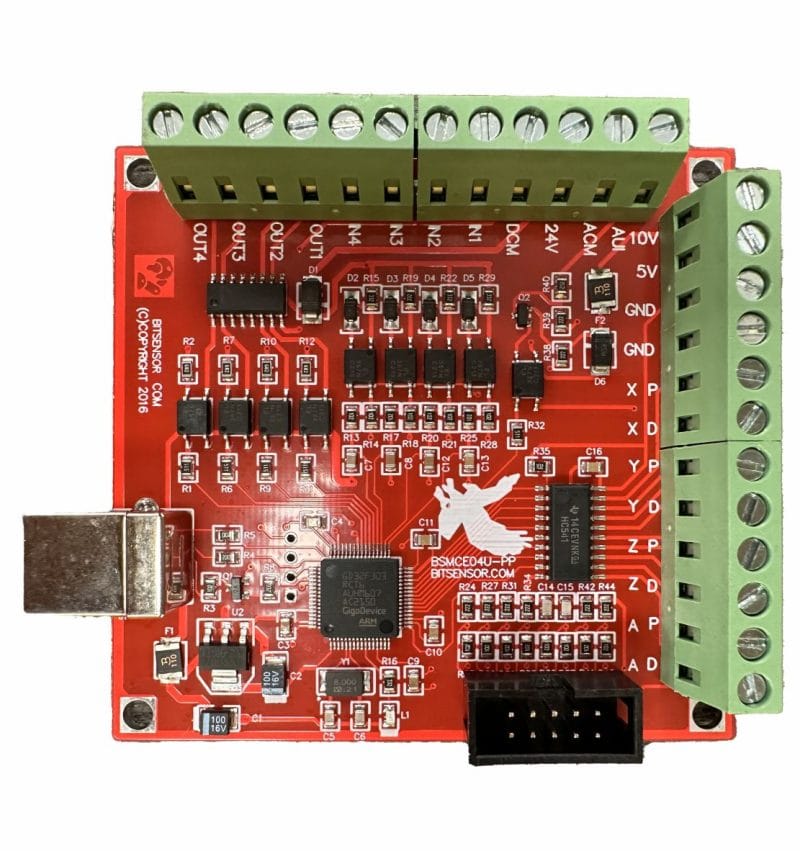
EdgeWright for Mach3 and Mach4 Users: AI-Powered CAM for Artsoft CNC Controllers
You've been running Artsoft's motion control software for years—maybe Mach3 since the early 2000s, or you've upgraded to Mach4 for improved trajectory planning and modern features. Either way, you chose Artsoft because it delivers professional CNC control at accessible prices.
Your controller works. Your workflows are established. You're not changing that.
But your CAM software? That's overdue for an upgrade.
EdgeWright is AI-native CAM software built for experienced Mach3 and Mach4 operators. Keep your proven Artsoft controller, modernize your toolpath generation. Get AI assistance without abandoning the Windows-based workflow you've perfected over the years.
Why Mach3 and Mach4 Users Are Choosing EdgeWright
1. Modern CAM for Proven Control
Mach3 has powered millions of CNC machines since 2001. It's the workhorse of small-to-medium shops worldwide. Parallel port control, proven reliability, and a massive user community.
Mach4 is Artsoft's modern evolution—trajectory planning, look-ahead optimization, Lua scripting, multi-axis support, and Ethernet/USB motion devices. All the power of Mach3 with 21st-century capabilities.
Both deserve better CAM software than what's currently available:
Traditional CAM limitations:
- VCarve/Aspire: Great for routing, but dated interface, no AI, no parametric cabinets
- Fusion 360: Powerful but overkill for router work, constant updates disrupting workflows, subscription fatigue
- BobCAD/MasterCAM: Expensive ($1,500-$5,000+), steep learning curve, designed for metal machining
EdgeWright brings AI-powered intelligence to your proven Artsoft system:
- Natural language toolpath generation
- Parametric cabinet automation (minutes instead of hours)
- Smart nesting with material optimization (85-95% utilization)
- Web-based interface (access from shop tablet or office PC)
- Mach3 and Mach4 optimized post-processors
You don't need new hardware. You need smarter software.
2. AI Assistant That Respects Your Experience
Mach3 and Mach4 users are experienced operators. You understand G-code, feeds, speeds, tool engagement, and chipload. You can tune your machine by ear and feel.
EdgeWright's AI doesn't replace your expertise—it eliminates tedious clicking.
Traditional CAM workflow:
- Import DXF/SVG geometry
- Click through toolpath wizard (select contour/pocket/drill)
- Choose tool from library
- Enter feeds, speeds, depth of cut, stepover
- Configure lead-in/lead-out, ramp angles, clearance heights
- Add tabs for part holding
- Generate toolpath
- Verify in simulator
- Post-process to G-code
- Load in Mach3/Mach4, set work offsets
- Run job
Time: 15-30 minutes for routine parts
EdgeWright AI-assisted workflow:
Tell EdgeWright: "Profile cut with 1/4" endmill, 0.125" stepdown, leave 0.010" for finish pass, 2 tabs on long edges"
EdgeWright:
- Selects tool from your library
- Calculates optimal feeds based on material
- Generates roughing toolpath with specified parameters
- Adds tabs where indicated
- Creates finish pass with reduced feed rate
- Exports Mach3 or Mach4 G-code with proper formatting
Time: 30 seconds + verification
This isn't "dumbing down"—it's eliminating repetitive setup so you can focus on running your shop efficiently.
3. Artsoft-Optimized Post-Processors
Mach3 and Mach4 have different capabilities, but both deserve properly formatted G-code.
EdgeWright's Mach3 post-processor:
- Arc handling: G2/G3 with IJK format (Mach3's preferred arc mode)
- Coordinate precision: 4-decimal places (standard Mach3 accuracy)
- Feed rate formatting: Modal F-word placement Mach3 expects
- Spindle control: M3/M4/M5 with S-word RPM values
- Tool changes: M6 with proper pause sequencing (manual or pneumatic ATC)
- Work offsets: G54-G59 support for multi-fixture setups
- Safe positioning: G28/G30 for home/park positions
EdgeWright's Mach4 post-processor:
- Trajectory optimization: Code structured for Mach4's look-ahead planner
- High precision: 5-decimal coordinate accuracy (0.00001" resolution)
- Arc interpolation: G2/G3 with center or radius format
- Canned cycles: G81-G89 for drilling, boring, tapping
- Extended work offsets: G54-G59 plus G54.1 P1-P99 (fixture offsets)
- Tool management: Automatic tool length compensation (G43)
- Advanced features: Proper G61/G64 mode usage for exact stop vs blending
Whether you're on legacy Mach3 or modern Mach4, EdgeWright generates code optimized for your specific controller.
4. Parametric Cabinet Engine for Production Shops
Artsoft-controlled machines often serve production environments—custom furniture shops, cabinet manufacturers, architectural millwork, commercial fixtures.
Traditional cabinet workflow:
- Customer provides specifications
- CAD drafting: panels, face frames, shelves (2-4 hours)
- Joinery design: dados, rabbets, dowel holes (30-60 minutes)
- Hardware layout: hinges, drawer slides, pulls (30 minutes)
- Toolpath creation: profile, pocket, drill for each component (1-2 hours)
- Manual nesting on plywood sheets (30-60 minutes)
- Post-processing for Mach3/Mach4 (15-30 minutes)
Total: 5-8 hours per cabinet project
EdgeWright parametric cabinet workflow:
Input parameters:
- Cabinet type: Base, wall, tall, drawer bank
- Dimensions: Width, height, depth
- Construction: Frameless (European 32mm) or face frame (American)
- Joinery: Dado, rabbet, dowel, pocket screw
- Hardware: Blum undermount slides, European hinges, custom pulls
- Material: 3/4" birch plywood, 1/4" back panel
- Finish allowance: Painted (0.015" clearance) or stained (0.010")
EdgeWright generates:
- Complete cut list with all panels (grain direction optimized)
- Automated dado placement (shelf positions, back panel rabbets)
- Hardware boring patterns:
- 32mm European system for adjustable shelves
- Blum drilling templates for undermount drawer slides
- Hinge boring (35mm cup, proper spacing)
- Face frame components with pocket hole drilling (if applicable)
- Smart nesting across sheets (85-95% utilization)
- Optimized toolpath order:
- All drilling operations (minimize tool changes)
- Dadoes and rabbets
- Profile cuts (part cutouts)
- Mach3 or Mach4 G-code ready to run
Total time: 10-20 minutes
Time saved: 4.5-7.5 hours = $450-$750 at $100/hour shop rate per project
For shops producing 10-20 cabinets monthly: $4,500-$15,000 in recovered labor costs.
5. Smart Nesting Reduces Material Waste
Whether you're running a 4×4 or 4×8 machine, material efficiency is critical for profitability.
Manual nesting problems:
- Time-consuming: 45-90 minutes per full-sheet layout
- Suboptimal placement: human visual guessing
- No rotation optimization
- Typical utilization: 70-80% (20-30% waste)
EdgeWright FFDH nesting algorithm:
- Automatic optimal placement (3-second computation)
- 90-degree rotation for best fit
- Multi-sheet management with sheet navigation
- Grain direction consideration (critical for visible surfaces)
- Real-time utilization feedback
- Typical utilization: 85-95% (5-15% waste)
ROI calculation:
Shop using 50 sheets per month:
- Material cost per sheet: $75 (cabinet-grade plywood)
- Manual nesting: 75% utilization → 25% waste = $937/month
- EdgeWright nesting: 90% utilization → 10% waste = $375/month
- Savings: $562/month = $6,750/year
Over 5 years: $33,750 in recovered material costs.
6. Advanced V-Carving for Sign Work
Mach3 and Mach4 excel at smooth motion control—perfect for detailed V-carving work. EdgeWright's AI makes setup effortless.
Traditional V-carve workflow:
- Import logo (vector or trace from bitmap)
- Configure V-carve toolpath wizard
- Set V-bit angle (60°, 90°, 120°)
- Define maximum depth
- Calculate line weights → cut depths manually
- Set feed rates for varying depths
- Generate toolpath
- Test cut on scrap material
- Adjust parameters
- Final G-code generation
Time: 30-45 minutes + material waste on test cuts
EdgeWright AI V-carve:
- Upload logo (PNG, JPG, SVG)
- EdgeWright auto-traces vectors from images
- Tell AI: "V-carve this in walnut, max depth 3mm, 90-degree bit"
- EdgeWright:
- Analyzes logo line weights
- Calculates optimal depths for each segment
- Selects appropriate feeds for varying engagement
- Generates smooth toolpath with proper corner handling
- Export Mach3/Mach4 G-code
- Cut—optimized for first-run success
Time: 3-5 minutes, minimal test cuts needed
7. Image Carve: Photos to 3D Relief
EdgeWright's Image Carve feature transforms images into 3D relief toolpaths.
Workflow:
- Upload image (PNG, JPG, BMP, TIFF—high resolution recommended)
- Use drag-to-crop tool to select carving area
- Preview depth heatmap:
- Bright areas = shallow relief
- Dark areas = full depth
- Export options:
- STL format: 3D mesh for inspection
- DXF iso-contours: Layered depth lines
- Direct G-code: Adaptive roughing + ball-nose finishing
EdgeWright's adaptive strategy:
- Roughing pass: Large endmill (6mm/1/4"), aggressive stepdown
- Semi-finish: Smaller endmill (3mm/1/8"), finer stepover
- Finish: Ball-nose bit (R1mm/R2mm), fine stepover (5-10% diameter)
Mach3/Mach4's smooth motion ensures scallop-free surface finish.
8. Web-Based: Modern Interface for Proven Control
Mach3 runs on dedicated Windows XP/7/10 shop PCs (parallel port timing is critical). Mach4 runs on modern Windows (7/10/11) with USB/Ethernet motion devices.
EdgeWright runs everywhere:
Design anywhere:
- Office workstation (Windows, Mac, Linux)
- Home laptop for quoting and planning
- Shop tablet for reviewing projects while machine runs
Cloud storage:
- SQLite database with automatic saves
- Never lose projects to crashes or hard drive failures
- Version history and rollback
Workflow separation benefits:
- CAM work happens on fast modern hardware
- CNC control PCs stay dedicated to motion control (no resource conflicts)
- No software installation on shop machines (they remain stable and locked down)
Download G-code when ready, transfer to Mach3/Mach4 machine via USB or network share.
9. Upgrading from Mach3 to Mach4? EdgeWright Supports Both
Many shops are transitioning from Mach3 to Mach4:
- Mach3: Proven, reliable, massive user base, parallel port control
- Mach4: Modern trajectory planning, Ethernet/USB devices, Lua scripting, better multi-axis
EdgeWright makes the transition seamless:
Scenario: Shop with 2 machines
- Machine 1: Router table, Mach3 (parallel port, Windows 7)
- Machine 2: Larger router, Mach4 (Ethernet smoothstepper, Windows 10)
Traditional CAM: Buy separate software OR use lowest-common-denominator G-code (loses controller-specific optimizations)
EdgeWright: One platform, two post-processors
- Design project once
- Export Mach3 G-code for Machine 1 (legacy-compatible formatting)
- Export Mach4 G-code for Machine 2 (trajectory-optimized)
Each export is optimized for that specific controller. No compromises. One CAM platform for your entire shop.
EdgeWright vs Traditional CAM for Mach3/Mach4
| Feature | VCarve Pro | Fusion 360 CAM | EdgeWright |
|---|---|---|---|
| Price | $$$$ | $$$$$$$ | low cost |
| AI Assistant | ❌ | ❌ | ✅ Natural language |
| Parametric Cabinets | ❌ | ❌ | ✅ Automated |
| Smart Nesting | Manual | ❌ | ✅ AI-optimized |
| V-Carve | Advanced | Limited | ✅ AI-powered |
| Image Carve | Limited | ❌ | ✅ STL/DXF export |
| 3D Preview | ✅ | ✅ | ✅ |
| Web-Based | ❌ (Desktop) | ❌ (Desktop) | ✅ Browser |
| Mach3 Post | ✅ | ✅ | ✅ Optimized |
| Mach4 Post | ✅ | ✅ | ✅ Optimized |
| Router-Focused | ✅ | ❌ (mill-focused) | ✅ |
| Learning Curve | Steep | Very Steep | Gentle (AI help) |
Perfect for Mach3/Mach4 Production Environments
Cabinet & Millwork Shops
Scenario: Custom kitchen, 12 cabinets with mixed sizes
Traditional CAM: 8-12 hours design + toolpath generation
EdgeWright parametric: 1-2 hours total (enter specs, review, nest, export)
Time saved: 6-10 hours = $600-1,000 at shop rates
More projects per month without hiring additional CAD staff.
Sign Production
Scenario: 100 wooden signs with V-carved logos
Traditional workflow:
- Import logo, set up toolpath (20 minutes)
- Duplicate and manually nest (60-90 minutes)
- Generate G-code per sheet
- Total: 2+ hours
EdgeWright workflow:
- Upload logo: "V-carve 100 copies, nest on 1/2" MDF"
- Auto-nesting across sheets
- Export Mach3/Mach4 G-code
- Total: 5 minutes
Time saved: ~2 hours per batch job
Custom Furniture
Scenario: Table legs with 3D relief carving
EdgeWright Image Carve:
- Upload reference image
- Export as STL (preview 3D mesh)
- Generate adaptive toolpaths (rough + ball-nose finish)
- Mach3/Mach4 optimized feeds for hardwood
- Result: Gallery-quality carvings without manual toolpath programming
Fixture & Jig Manufacturing
Scenario: Production fixtures with tight-tolerance dowel pin holes
EdgeWright precision:
- Import DXF with hole patterns
- AI generates drill cycles with peck drilling
- Mach3/Mach4 G-code with high coordinate accuracy
- Canned cycle optimization (G81 through-holes, G83 deep peck)
- Result: Fixtures that assemble correctly, first time
Artsoft-Specific Optimizations
Mach3 Features
- Parallel port timing: Feed rates and arc density optimized for typical Mach3 kernel speeds
- Modal G-code: Proper command grouping for Mach3's interpreter
- Arc format: IJK incremental offsets (Mach3's preferred method)
- Work offsets: G54-G59 for multi-fixture setups
- Tool changes: M6 with pause for manual or pneumatic changers
- Safe positioning: G28/G30 for home/park returns
Mach4 Features
- Trajectory planning: G-code structured for optimal look-ahead
- High precision: 5-decimal coordinates for Mach4's enhanced resolution
- Exact stop vs blending: Proper G61/G64 mode usage
- Extended work offsets: G54.1 P1-P99 fixture offsets
- Canned cycles: Full G81-G89 support (drill, bore, tap, ream)
- Tool length compensation: G43 with automatic offset loading
- Lua integration: Comments structured for Mach4 macro compatibility
Motion Quality (Both Controllers)
- Arc interpolation: Smooth G2/G3 curves
- Feed rate optimization: Constant surface speed considerations
- Corner handling: Acceleration-friendly for tight geometry
- Ramp moves: Smooth helical and linear ramps for clean entry
Common Questions from Mach3/Mach4 Users
Will this work with my old Mach3 machine on Windows XP?
EdgeWright runs in your browser on a modern computer. You design toolpaths there, export G-code, transfer to your Mach3 PC via USB drive or network share. Your Mach3 machine doesn't need to run EdgeWright—just load the G-code as you always have.
Can I use the same EdgeWright project for both Mach3 and Mach4 machines?
Yes! Design once, export twice with different post-processors. Each export is optimized for that controller (Mach3 legacy format, Mach4 trajectory-optimized format).
What about tool libraries?
EdgeWright maintains a cloud-synced tool library. Enter your tools once (diameter, flutes, type), available across all projects. Import via CSV if migrating from other CAM software.
Does it support pneumatic or automatic tool changers?
Yes. EdgeWright inserts standard M6 tool change commands. Your Mach3/Mach4 macros handle the actual change procedure (manual, pneumatic, or carousel ATC). G-code structure is compatible with all ATC configurations.
Can I still use VCarve for some jobs and EdgeWright for others?
Absolutely. Many shops use multiple CAM tools. EdgeWright exports standard G-code—Mach3/Mach4 doesn't care where it came from. Use EdgeWright for parametric cabinets and nesting, keep VCarve for specialized work, or vice versa.
What if I'm upgrading from Mach3 to Mach4?
EdgeWright supports both with optimized post-processors. During transition, run both machines from the same CAM platform. No need to learn new software when upgrading controllers.
Getting Started with EdgeWright for Mach3/Mach4
1. Sign Up: Visit edgewright.ai (on modern PC, not your Mach3/Mach4 control PC)
2. Import or Design: Upload DXF/SVG, use AI generation, or parametric Cabinet Designer
3. AI-Guided Toolpaths: Natural language commands or interactive selection
4. Preview & Verify: 3D toolpath visualization
5. Export G-Code: Select Mach3 or Mach4 post-processor
6. Transfer: USB drive, network share, or however you normally load code
7. Load & Run: Standard Mach3/Mach4 workflow from here
Experienced operators are typically productive with EdgeWright within 30-45 minutes.
Key EdgeWright Features for Artsoft Users
DXF/SVG Import:
- Profile cuts (outside, inside, on-line with offset)
- Pocket clearing (automatic island detection)
- Drill cycles (peck drilling, chip-breaking)
V-Carve Toolpaths:
- AI-powered depth calculation (analyzes logo line weights)
- Auto-trace from bitmap images
- Variable-depth carving (brightness → depth)
- Optimal V-bit angle selection
Cabinet Designer:
- Parametric generation (width/height/depth, construction style)
- Automated joinery (dado, rabbet, dowel, pocket screw)
- Hardware patterns (Blum, Hettich, Grass systems)
- Frameless or face frame construction
- Complete cut lists with grain direction
Smart Nesting:
- FFDH shelf-pack algorithm (proven efficiency)
- 90-degree rotation optimization
- Multi-sheet layouts with navigation
- Grain direction control
- Real-time utilization feedback (85-95% typical)
Image Carve:
- High-resolution image support (PNG, JPG, BMP, TIFF)
- Drag-to-crop with aspect lock
- Export formats: STL (3D mesh), DXF (contours), G-code (direct)
- Depth heatmap preview
Toolpath Preview:
- 3D visualization (all tool movements)
- Cut simulation (material removal)
- Collision detection
- Accurate run time estimates
Universal Post-Processors:
- Mach3 (legacy-optimized)
- Mach4 (trajectory-optimized)
- Also supports UCCNC, GRBL, LinuxCNC
Project Persistence:
- Cloud SQLite database (automatic saves)
- Version history (rollback capability)
- Project sharing (team collaboration)
- List, load, delete management
AI Assistant:
- Natural language toolpath generation
- Feed/speed recommendations (material + tool database)
- Multi-operation strategies (rough → semi-finish → finish)
- Cabinet design from text descriptions
Why Mach3/Mach4 Users Need EdgeWright
You chose Artsoft because it delivered professional CNC control at accessible prices. Mach3 powered the hobby CNC revolution. Mach4 brings modern capabilities to that proven foundation.
But traditional CAM software hasn't kept pace:
- VCarve: Router-focused but dated—no AI, no parametric design, manual nesting
- Fusion 360: Overkill for routing (designed for metal machining), complex interface, subscription fatigue, constant updates
- MasterCAM/BobCAD: Expensive ($5,000+), extremely steep learning curve
EdgeWright modernizes your workflow without disrupting proven hardware:
- AI assistance: Natural language eliminates tedious menu clicking
- Parametric automation: Cabinet projects in minutes, not hours
- Smart nesting: Material cost savings (10-15% waste reduction)
- Web-based: Modern interface, cross-platform, cloud storage
- Controller-optimized: Post-processors tuned for Mach3 legacy and Mach4 modern capabilities
Your Artsoft machine has years of productive life left. EdgeWright ensures your CAM workflow matches your controller's reliability and capabilities.
Ready to Modernize Your Artsoft Workflow?
Visit edgewright.ai to get started:
- Generate your first AI-powered toolpath
- See Mach3 or Mach4 optimized G-code output
- Try parametric cabinet generation
- Experience industrial-grade smart nesting
- Export production-ready code for your machine
EdgeWright: Modern AI-powered CAM for proven Artsoft CNC control.
EdgeWright — AI-powered CAM software for Mach3, Mach4, UCCNC, GRBL, and LinuxCNC users. Keep your reliable hardware, upgrade your workflow intelligence.