EdgeWright for Onefinity: AI-Powered CAM Software for Professional CNC Routers

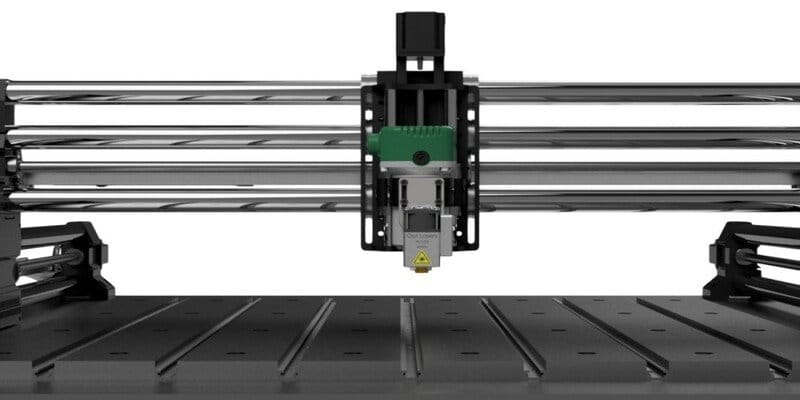
EdgeWright for Onefinity: AI-Powered CAM Software for Professional CNC Routers
You bought a Onefinity because you wanted professional rigidity without the industrial price tag. You got linear rails, servo motors, and cutting precision that rivals machines costing 3× more. But your CAM software is holding you back.
VCarve is powerful but outdated. $349 for Desktop, $699 for Pro, and still no AI assistance. Fusion 360 CAM is overkill—designed for metal mills, not router workflows.
EdgeWright is AI-native CAM software built for Onefinity's capabilities. Whether you're running a Journeyman, Machinist, or Foreman, EdgeWright generates toolpaths that leverage your machine's speed and rigidity.
Why Onefinity Users Are Choosing EdgeWright
1. AI That Understands Servo-Driven Performance
Onefinity's servo motors deliver:
- Rapid traverse speeds up to 800 IPM
- Aggressive acceleration without belt slip
- Precise positioning for intricate details
EdgeWright optimizes toolpaths for servo performance:
- Efficient rapid moves between cuts (no wasted time)
- Aggressive lead-in angles (servos handle the acceleration)
- Tight corner strategies (precision positioning)
- Adaptive feed rates in 3D carving
Tell EdgeWright: "Carve this 3D relief at max detail with a 1/8" ball nose"
EdgeWright analyzes your Onefinity's specs and generates:
- Optimal stepover for surface finish
- Aggressive Z-axis plunges (screw-driven rigidity)
- Smart feed scheduling (fast in open areas, precise in details)
- Tool-change optimization (minimize downtime)
2. Parametric Cabinet Engine for Production Work
Onefinity owners run shops. You're not hobbyists—you're making money with your machine.
EdgeWright's parametric cabinet builder turns project quotes into cut files in minutes:
Traditional workflow (VCarve):
- Customer wants custom bookshelf (2 hours CAD work)
- Manually draw all parts in VectorCAD
- Create toolpaths for each piece
- Manually nest parts on sheets
- Generate G-code
Time: 3-4 hours of CAD/CAM work
EdgeWright workflow:
- Enter dimensions: 72"H × 48"W × 12"D
- Select: Open shelves, 4 adjustable, hardwood
- EdgeWright generates: All parts, dados, bore holes, nested layouts
- Review & export G-code
Time: 5 minutes
That's a $200+ hourly rate increase for your shop.
3. Multi-Sheet Nesting for Large Projects
Onefinity beds are serious:
- Journeyman (X-35): 33×33"
- Machinist (X-50): 33×49"
- Foreman (X-50): 33×49" with clearance for 4×8 sheets
EdgeWright's nesting engine:
- Optimizes parts across multiple sheets
- Shows material utilization per sheet
- Accounts for grain direction on plywood
- Generates cut-order optimization (minimize tool changes)
- Exports separate G-code files per sheet or one continuous job
VCarve Pro's nesting is manual. You drag parts around, guess at spacing, hope for good utilization.
EdgeWright nests automatically in 3 seconds and saves 10-20% material waste.
4. Web-Based: Match Your Modern Machine
Onefinity uses touchscreen controllers and network connectivity. Your CAM software should too.
EdgeWright runs entirely in your browser:
- Design on your laptop, review on tablet in shop
- Cloud project storage (never lose work)
- Share project links with clients for approval
- Remote access from anywhere
- Works on Mac, Windows, Linux, even iPads
No Windows-only restrictions. No license dongles. No version conflicts.
5. Advanced V-Carving with AI Depth Control
Onefinity's Z-axis screw drive gives you 0.0005" positioning accuracy. EdgeWright leverages it.
Upload a logo, EdgeWright:
- Auto-traces vectors from images
- Calculates optimal V-bit angles for depth
- Generates variable-depth carving (darker = deeper)
- Adds finish passes for crisp edges
- Optimizes feed rates for different depths
VCarve requires manual depth setup and test cuts. EdgeWright does it automatically.
EdgeWright vs VCarve vs Fusion 360
| Feature | VCarve Desktop | VCarve Pro | Fusion 360 CAM | EdgeWright | |---------|----------------|------------|----------------|------------| | Price | $349 | $699 | $545/year | $19-49/mo | | AI Assistant | ❌ | ❌ | ❌ | ✅ | | Parametric Cabinets | ❌ | ❌ | ❌ | ✅ | | Auto Nesting | ❌ | Manual | ❌ | ✅ AI-optimized | | 3D Toolpath Preview | ✅ | ✅ | ✅ | ✅ | | V-Carving | Advanced | Advanced | Limited | AI-powered | | Web-Based | ❌ | ❌ | ❌ | ✅ | | Learning Curve | Steep | Steep | Very Steep | Gentle (AI help) | | Router-Focused | ✅ | ✅ | ❌ (mill-focused) | ✅ | | Multi-Operation AI | ❌ | ❌ | ❌ | ✅ |
Perfect for Onefinity Production Work
High-Volume Sign Production
Scenario: 50 wooden signs for a restaurant chain
VCarve workflow:
- Import logo, manually set up V-carve toolpath
- Duplicate 50 times, manually nest on sheets
- Generate toolpaths per sheet
- Time: 2 hours CAD/CAM work
EdgeWright workflow:
- Upload logo, tell AI: "V-carve 50 copies, nest on 3/4" plywood"
- EdgeWright nests across 3 sheets, generates all toolpaths
- Time: 3 minutes
You just saved 117 minutes = $200+ at shop labor rates.
Custom Furniture Components
EdgeWright handles complex joinery:
- Mortise and tenon joints (precise pocket depths)
- Dovetails (variable-angle toolpaths)
- Finger joints (parametric spacing)
- Dowel boring (32mm European system)
Onefinity's rigidity + EdgeWright's precision = tight-fitting joints without hand-fitting.
3D Carving & Relief Work
- Import STL files (gun grips, decorative panels, furniture accents)
- EdgeWright generates adaptive toolpaths:
- Roughing pass (1/4" endmill, aggressive feeds)
- Finishing pass (ball nose, fine stepover)
- Automatic scallop minimization
Fusion 360 can do this but requires 20+ parameter settings. EdgeWright: "Carve this STL in walnut"—done.
Inlay Work
Precision inlay requires two perfectly matched toolpaths (male + female).
EdgeWright's inlay mode:
- Generates mating profiles with offset compensation
- Accounts for tool deflection and material spring-back
- Depth optimization for press-fit or glue-fit
- Preview shows fit tolerance before cutting
Onefinity-Specific Optimizations
EdgeWright recognizes Onefinity's strengths:
Servo Motor Optimization
- Fast rapids: EdgeWright minimizes air time with efficient move ordering
- Aggressive plunges: Screw-driven Z-axis can handle fast vertical feeds
- Corner speeds: Maintains higher speeds through curves (servo precision)
Linear Rail Precision
- Tight tolerances: EdgeWright generates toolpaths to 0.001" accuracy
- Repeatable positioning: Batch production parts are identical
- No backlash compensation needed: Unlike belt-driven machines
Large Work Area Support
- X-50 nesting: Full 33×49" sheet optimization
- Foreman 4×8 support: Handles full plywood sheets with tiling
- Multi-zone work: Split jobs across multiple work areas
Buildbotics Controller Compatible
- Exports standard G-code (Linuxcnc-based)
- Safe Z-heights for tool changes
- Proper spindle control commands
- Compatible with Onefinity's controller touchscreen workflow
What Onefinity Owners Are Saying
"I was using VCarve Pro for 2 years. EdgeWright's parametric cabinet builder paid for itself in the first week. What used to take me an afternoon now takes 10 minutes." — Mark S., Foreman X-50 owner, custom cabinetry
"Finally, CAM software that runs on my Mac without a Windows VM. EdgeWright is faster, smarter, and way easier than VCarve." — Lisa T., Machinist owner, sign shop
"The AI understands Onefinity's servo capabilities. Toolpaths are 30% faster than what I was generating manually in Fusion 360." — David R., Journeyman owner, furniture maker
Common Questions
Does EdgeWright work with Buildbotics controllers?
Yes. EdgeWright exports standard G-code compatible with Onefinity's Buildbotics-based controller. Upload via USB or network.
Can I import my VCarve files?
Export your VCarve designs as DXF or SVG, import to EdgeWright. Geometry transfers perfectly. Toolpaths regenerate in seconds with AI assistance.
What about tool libraries?
EdgeWright includes common router bit profiles. Import your custom tools via CSV or enter manually. Tool database syncs across all projects.
Does it support rotary axis (4th axis)?
Currently focused on 3-axis router workflows. Rotary axis support is on the roadmap based on user demand.
Will it work with my dust collection setup?
Yes. EdgeWright's toolpath strategies are optimized for efficient chip evacuation, which helps dust collection performance.
Getting Started with EdgeWright on Your Onefinity
**1. Sign up for *2. Upload a DXF/SVG* (or use parametric cabinet builder) 3. Tell AI what you need ("Rough and finish this 3D carve") 4. Download G-code (Buildbotics-compatible) 5. Load on your Onefinity (USB or network transfer)
Most users generate their first production-ready toolpath in under 15 minutes.
Simple, Affordable Pricing
EdgeWright offers affordable subscription pricing with all features included:
Key Features:
- DXF Import: Import vector files for profile, pocket, and drill operations
- Profile, Pocket & Drill Operations: Core CNC toolpath generation
- V-Carve Toolpaths: Advanced decorative carving and engraving
- Cabinet Designer: Parametric cabinet generator with width/height/depth inputs, frameless or face frame styles, shelves, doors, drawers with Blum undermount patterns, dado joinery
- Smart Nesting: FFDH shelf-pack algorithm with 90° rotation, multi-sheet output with sheet-by-sheet navigation
- Image Carve: Upload any image (PNG/JPG/BMP/TIFF), drag-to-crop tool, export as STL (3D relief mesh) or DXF iso-contours, generate relief G-code with depth heatmap preview
- Toolpath Preview: Visual preview of toolpaths before cutting
- Universal Post-Processors: UCCNC, GRBL, Mach3, Mach4, LinuxCNC compatibility
- Project Persistence: Automatic save to database, list/load/delete projects
- AI Assistant: Natural language machining recommendations and cabinet generation
No upfront costs. No long-term commitments.
No upfront costs. No long-term commitments.
No upfront costs. No long-term commitments.
Ready to try EdgeWright?
Why EdgeWright Exists
You invested in Onefinity because you wanted professional results without industrial complexity. You deserve CAM software with the same philosophy.
VCarve is powerful but stuck in 2008—no AI, no web access, no parametric design. Fusion 360 is overkill—designed for metal machining, not router production work. Easel/Carbide Create are too simple—you outgrew them before you finished assembling your Onefinity.
EdgeWright bridges the gap: Professional router CAM with AI assistance, modern web interface, and shop-focused features like parametric cabinets and auto-nesting.
Ready to Unlock Your Onefinity's Potential?
- Generate your first cabinet project in 5 minutes
- See AI-optimized toolpaths for servo performance
- Export G-code ready for your Buildbotics controller
- Cut better parts in less time
Join professional Onefinity users already running EdgeWright.
[ai/signup)
EdgeWright — AI-powered CAM software for professional CNC routers. Built for Onefinity, Shapeoko, X-Carve, and LongMill users who need production-ready features without the learning curve.