EdgeWright for Shapeoko: AI-Powered CAM Software for Your CNC Router

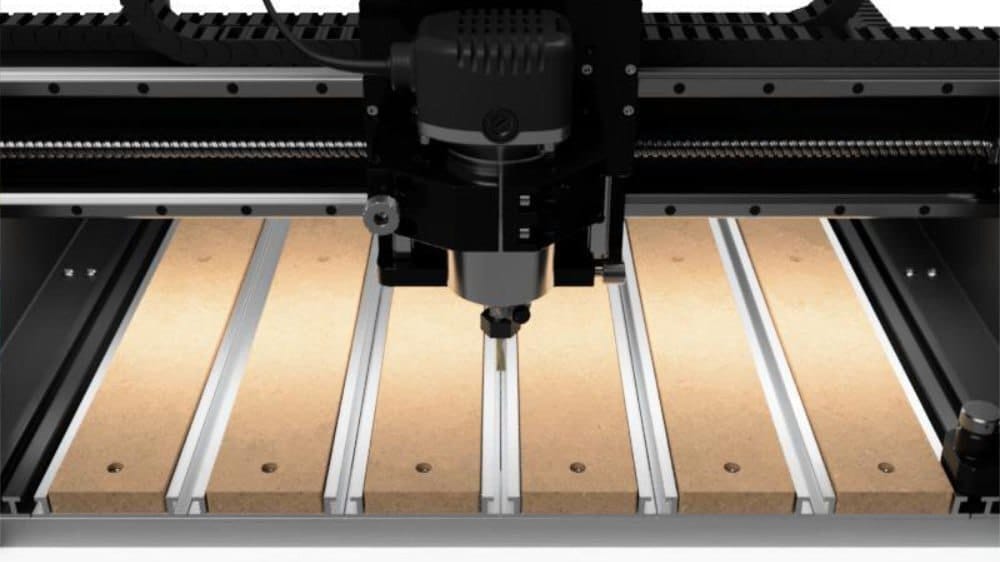
EdgeWright for Shapeoko: AI-Powered CAM Software for Your CNC Router
If you own a Shapeoko CNC router, you already know the challenge: creating toolpaths shouldn't require a computer science degree. While Carbide Create gets you started, it's limited. Vectric Aspire is powerful but costs $1,995 and has a steep learning curve. What if there was a better way?
EdgeWright is AI-native CAM software built specifically for CNC router users like you. Whether you're running a Shapeoko 3, 4, 5, or Pro, EdgeWright generates optimized toolpaths in seconds—no manual programming required.
Why Shapeoko Users Are Switching to EdgeWright
1. AI Assistant That Actually Understands Your Intent
Instead of clicking through dozens of menus to set up a simple profile cut, just tell EdgeWright what you want:
"Cut this logo out of 3/4-inch plywood with a 1/4-inch endmill"
EdgeWright's AI:
- Selects the right tool
- Sets optimal feeds and speeds for plywood
- Generates the profile toolpath
- Adds tabs to hold the part in place
- Exports GRBL-compatible G-code
What takes 20+ clicks in Carbide Create takes one sentence in EdgeWright.
2. Parametric Cabinet Engine
Shapeoko owners building cabinets know the pain of manually drawing every part in CAD. EdgeWright's parametric cabinet engine generates complete cabinet projects in 30 seconds:
- Enter dimensions (width, height, depth)
- Choose joinery type (dado, rabbet, pocket screws)
- Add shelves, doors, drawers
- EdgeWright generates all parts with dados, bore holes, and nesting layout
Vectric can't do this. Carbide Create can't do this. EdgeWright does it automatically.
3. Web-Based: Use Your Shapeoko from Anywhere
Carbide Create is desktop-only. Vectric requires Windows. EdgeWright runs in your browser:
- Design toolpaths on your laptop in the shop
- Review projects on your phone
- Share projects via link (no file attachments)
- Cloud saves—never lose a project
4. Smart Nesting for Material Efficiency
Shapeoko beds are 33×33 inches (Standard) or 33×49 inches (XL/Pro). EdgeWright's nesting engine:
- Automatically arranges parts for minimal waste
- Shows utilization percentage
- Generates sheet-by-sheet layouts
- Accounts for grain direction on plywood
Save 10-20% on material costs vs manual layout.
EdgeWright vs Carbide Create vs Vectric
| Feature | Carbide Create | Vectric Aspire | EdgeWright | |---------|----------------|----------------|------------| | Price | Free | $1,995 | $19-49/mo | | AI Assistant | ❌ | ❌ | ✅ | | V-Carve | Basic | Advanced | AI-powered | | Parametric Cabinets | ❌ | ❌ | ✅ | | 3D Preview | ❌ | ✅ | ✅ | | Auto Nesting | ❌ | ❌ | ✅ | | Web-Based | ❌ | ❌ | ✅ | | SVG Import | Limited | ✅ | ✅ | | Learning Curve | Medium | Steep | Gentle (AI help) |
Perfect for Shapeoko Woodworking Projects
Sign Making
Upload an SVG logo, EdgeWright traces it and generates V-carve toolpaths automatically. Add depth variation based on image brightness—AI handles the math.
Furniture & Cabinets
Parametric engine generates drawer boxes, cabinet sides, shelves with dados, and 32mm boring patterns. Export nested sheets ready to cut.
Inlays & Decorative Work
AI-powered pocket clearing with island detection. Adaptive stepover in tight corners. Finish passes for clean walls.
Production Runs
Batch processing: upload 20 similar parts, EdgeWright nests them, optimizes cut order to minimize rapids, and generates one G-code file.
How EdgeWright Works with Your Shapeoko
Step 1: Design or Import
- Upload DXF/SVG from Inkscape, Illustrator, or Fusion 360
- Or use AI: "Generate a 4-inch diameter circle"
- Or parametric cabinets: Enter dimensions, get complete cut list
Step 2: Generate Toolpath
- Select operation: profile, pocket, V-carve, drill
- EdgeWright suggests feeds/speeds for your material
- AI adjusts depth per pass based on tool diameter and material hardness
- Preview shows toolpath + estimated time
Step 3: Export G-code
- GRBL post-processor (Carbide Motion compatible)
- Safe Z heights, proper ramp entries
- Tab support to prevent part movement
- Verified code (no crashes or tool breakage)
Step 4: Cut Load G-code into Carbide Motion, zero your Shapeoko, hit Start. Done.
Pricing That Makes Sense
Hobby Tier: $19/month
- Unlimited projects
- All core features (profile, pocket, drill, SVG import)
- AI assistant
- GRBL G-code export
Shop Tier: $49/month
- Everything in Hobby
- Parametric cabinets
- Auto nesting
- Priority support
**Try
Carbide Create is free but limited. Vectric Aspire costs $1,995 upfront. EdgeWright is $19/month with all features unlocked. Break-even vs Vectric: 8.5 years.
What Shapeoko Users Are Saying
"I was manually laying out cabinet parts in Carbide Create for hours. EdgeWright's parametric engine cut that to 2 minutes. Game changer." — Mark T., Shapeoko 5 Pro owner
"The AI assistant is like having an experienced CNC operator looking over your shoulder. It catches mistakes before I waste material." — Sarah K., sign shop owner
"Finally, CAM software I can use on my iPad in the shop. No more running back and forth to my office computer." — Jake R., furniture maker
Common Questions
Does EdgeWright work with Carbide Motion?
Yes. EdgeWright exports GRBL-compatible G-code that Carbide Motion reads natively. We test every post-processor against real Shapeoko machines.
Can I import my existing Carbide Create files?
Yes. Export from Carbide Create as DXF, import into EdgeWright. Your geometry transfers perfectly.
What about V-carve? Carbide Create Pro has that.
EdgeWright's V-carve is AI-powered. Upload a logo, EdgeWright traces it, calculates optimal V-carve depths, and generates toolpaths—no manual setup.
Do I need to learn G-code?
No. EdgeWright handles all G-code generation. You work in millimeters and visual toolpaths, EdgeWright translates to machine language.
What if I get stuck?
AI assistant helps in real-time. Plus, priority support on Shop tier gets you human help within 4 hours.
Getting Started with EdgeWright on Your Shapeoko
**1. Sign up for *2. Upload a simple DXF* (or use sample projects) 3. Generate your first toolpath (AI guides you) 4. Download G-code (GRBL format) 5. Run on your Shapeoko (works with Carbide Motion)
Most users cut their first part within 15 minutes of signup.
Why EdgeWright Exists
We built EdgeWright because CNC software shouldn't require a PhD. Shapeoko is an incredible machine—capable of professional work at hobbyist prices. But software has lagged behind hardware.
Carbide Create is simple but limiting. Vectric is powerful but expensive and complex. Fusion 360 CAM is overkill for 90% of router work.
EdgeWright fills the gap: professional features, hobbyist pricing, AI assistance.
Ready to Try EdgeWright on Your Shapeoko?
- Upload your first DXF in 60 seconds
- Generate toolpaths with AI help
- Export GRBL G-code
- Cut on your Shapeoko
Join 1,000+ Shapeoko users already using EdgeWright.
[ai/signup)
EdgeWright — AI-powered CAM software for CNC routers. Built for Shapeoko, X-Carve, Onefinity, and LongMill users who want professional results without the professional price tag.