EdgeWright for X-Carve: AI-Powered CAM Software for Your CNC Router

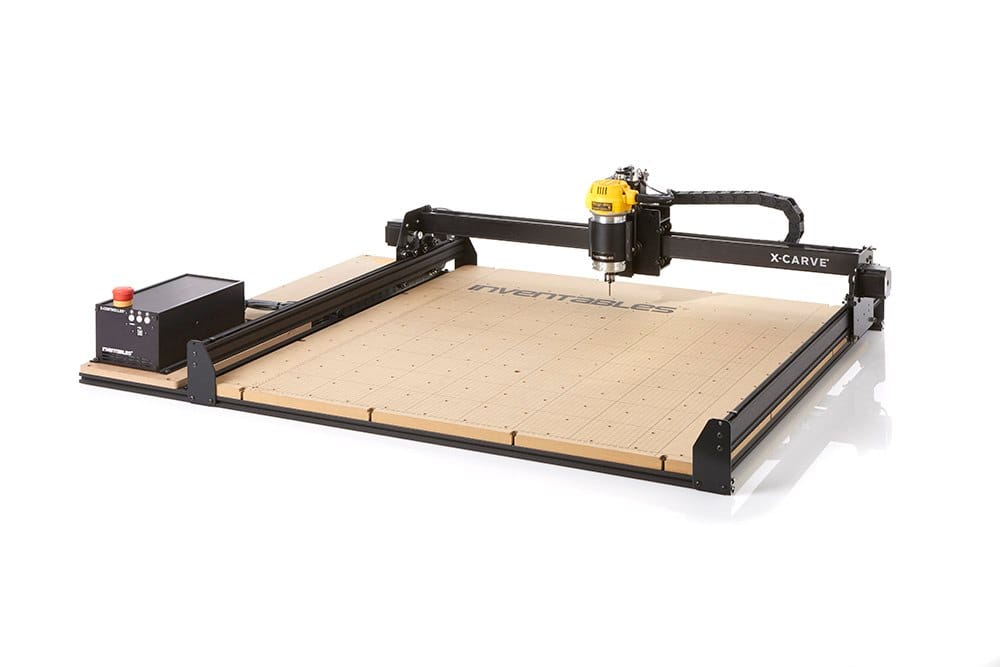
EdgeWright for X-Carve: AI-Powered CAM Software for Your CNC Router
X-Carve owners know the struggle: Easel is simple but limiting. Easel Pro costs $156/year and still can't handle complex projects. Vectric Aspire costs $1,995 with a steep learning curve. You need something in between—powerful but not overwhelming, affordable but not limiting.
EdgeWright is AI-native CAM software built for X-Carve users who want professional results without professional complexity. Whether you're running an original X-Carve, X-Carve Pro, or the new X-Carve 4, EdgeWright generates optimized G-code in seconds.
Why X-Carve Users Are Switching to EdgeWright
1. Beyond Easel's Limitations—Without Easel's Complexity
Easel is perfect for beginners, but you've outgrown it. You need:
- Multi-operation toolpaths (roughing + finishing)
- Nesting multiple parts efficiently
- Parametric design for repetitive projects
EdgeWright gives you all of this, controlled by AI instead of 50 menu clicks.
Tell EdgeWright: "Rough cut this pocket with a 1/4" endmill, then finish with a 1/8" ball nose"
EdgeWright:
- Generates both toolpaths automatically
- Sets optimal feeds/speeds for each tool
- Creates smooth transitions between operations
- Exports GRBL G-code ready for Easel Driver or UGS
2. Parametric Cabinet Builder
Building cabinets on your X-Carve? Stop drawing every part manually in Inkscape.
EdgeWright's parametric engine:
- Enter cabinet dimensions (width × height × depth)
- Select joinery type (dado, rabbet, pocket holes)
- Add shelves, drawers, doors
- EdgeWright generates all parts with dados, bore holes, and grain direction
- Automatic nesting layout optimized for your X-Carve bed size
What takes 3 hours in Easel takes 3 minutes in EdgeWright.
3. Smart Feeds & Speeds for Your X-Carve
X-Carve's open-source design means you're responsible for safe cutting parameters. EdgeWright's AI knows:
- Material hardness: Hardwood vs softwood vs MDF vs acrylic
- Tool geometry: Upcut vs downcut vs compression bits
- Machine rigidity: Original X-Carve vs Pro's linear rails
- Belt-driven limitations: Conservative rapids to prevent belt slip
No more broken bits or ruined workpieces from guessing feed rates.
4. Web-Based: Use Your X-Carve from Anywhere
Easel is web-based, but Easel Pro's best features require desktop software. Vectric is Windows-only. EdgeWright runs entirely in your browser:
- Design on your laptop in the shop
- Review projects on your phone
- Share projects via link (no .c2d or .crv files)
- Cloud saves—never lose a design
5. Cost-Effective Professional Features
| Feature | Easel (Free) | Easel Pro | Vectric Aspire | EdgeWright | |---------|-------------|-----------|----------------|------------| | Price | Free | $156/year | $1,995 | $19-49/mo | | AI Assistant | ❌ | ❌ | ❌ | ✅ | | V-Carve | Basic | Advanced | Advanced | AI-powered | | Parametric Cabinets | ❌ | ❌ | ❌ | ✅ | | 3D Toolpath Preview | Basic | ✅ | ✅ | ✅ | | Auto Nesting | ❌ | ❌ | ❌ | ✅ | | Multi-Operation | Manual | Manual | Manual | AI-automated | | SVG Import | ✅ | ✅ | ✅ | ✅ | | Desktop Required | ❌ | Partial | ✅ | ❌ |
Perfect for X-Carve Woodworking Projects
Sign Making & V-Carving
Upload an SVG logo, EdgeWright:
- Auto-traces the design
- Generates V-carve toolpaths with proper depth variation
- Calculates optimal feeds for your V-bit angle
- Adds pocket clearing for filled areas
- Exports GRBL code ready for your X-Controller
No manual image tracing or depth calculations.
Furniture & Cabinet Parts
EdgeWright's parametric cabinet builder is perfect for X-Carve Pro's 4×4 ft bed:
- Generate drawer boxes with dovetails or box joints
- Cabinet sides with dado slots for shelves
- 32mm boring system for European hinges
- Nested sheet layouts showing material utilization
Easel Pro can't do this. Vectric requires manual part creation. EdgeWright automates it.
Inlays & Decorative Work
AI-powered pocket clearing:
- Island detection (preserves logos/text inside pockets)
- Adaptive stepover in corners (prevents tool chatter)
- Finish passes for clean vertical walls
- Automatic ramp entries (prevents plunge marks)
Production Runs
Upload 20 identical coaster designs, EdgeWright:
- Nests them on your X-Carve's work area
- Optimizes cut order to minimize tool changes
- Groups operations (all profiles first, then all pockets)
- Generates single G-code file for unattended cutting
How EdgeWright Works with Your X-Carve
Step 1: Design or Import
- Upload DXF/SVG from Easel, Inkscape, Illustrator, or Fusion 360
- Or use AI: "Generate a 12×12 inch square with rounded corners"
- Or parametric cabinets: Enter dimensions, get complete parts list
Step 2: Generate Toolpath (AI-Assisted)
- Describe what you want: "Profile cut this shape with tabs"
- EdgeWright suggests tool, feeds, speeds, depth per pass
- Adjusts for X-Carve's belt-driven characteristics
- Shows 3D preview with estimated time
Step 3: Export G-code
- GRBL post-processor (X-Controller compatible)
- Safe Z heights for rapid moves
- Proper tool engagement angles
- Compatible with Easel Driver, UGS, CNCjs, bCNC
Step 4: Cut on Your X-CarveLoad into your preferred sender, zero your machine, hit Start.
Simple, Affordable Pricing
EdgeWright offers affordable subscription pricing with all features included:
Key Features:
- DXF Import: Import vector files for profile, pocket, and drill operations
- Profile, Pocket & Drill Operations: Core CNC toolpath generation
- V-Carve Toolpaths: Advanced decorative carving and engraving
- Cabinet Designer: Parametric cabinet generator with width/height/depth inputs, frameless or face frame styles, shelves, doors, drawers with Blum undermount patterns, dado joinery
- Smart Nesting: FFDH shelf-pack algorithm with 90° rotation, multi-sheet output with sheet-by-sheet navigation
- Image Carve: Upload any image (PNG/JPG/BMP/TIFF), drag-to-crop tool, export as STL (3D relief mesh) or DXF iso-contours, generate relief G-code with depth heatmap preview
- Toolpath Preview: Visual preview of toolpaths before cutting
- Universal Post-Processors: UCCNC, GRBL, Mach3, Mach4, LinuxCNC compatibility
- Project Persistence: Automatic save to database, list/load/delete projects
- AI Assistant: Natural language machining recommendations and cabinet generation
No upfront costs. No long-term commitments.
No upfront costs. No long-term commitments.
No upfront costs. No long-term commitments.
Ready to try EdgeWright?
X-Carve-Specific Optimizations
EdgeWright understands X-Carve's unique characteristics:
Belt Drive Compensation
- Conservative acceleration limits
- Gradual speed ramps (no jerky movements)
- Optimized corner speeds to prevent belt slip
Work Area Optimization
- Original X-Carve: 30×30 cm nesting
- X-Carve 1000mm: 75×75 cm layouts
- X-Carve Pro: Full 4×4 ft sheet optimization
- Accounts for wasteboard hold-downs
Dust Collection Awareness
- Optimized stepover for X-Carve's dust shoe clearance
- Toolpath strategies that don't clog collection ports
- Adaptive chip load for better evacuation
Inventables Ecosystem Compatible
- Imports Easel .c2d files (via SVG export)
- Uses same tool library format
- Compatible with Inventables bit specifications
- Works with X-Controller and new X-Controller Pro
What X-Carve Users Are Saying
"I was paying for Easel Pro but kept hitting limits. EdgeWright does everything Easel can't—parametric cabinets, multi-tool jobs, real V-carving. And the AI assistant actually understands X-Carve belt speeds." — Tom H., X-Carve Pro owner
"Switched from Vectric because I was tired of Windows VMs on my Mac. EdgeWright runs in Safari, syncs to my phone. Game changer for shop work." — Rachel M., furniture maker
"The nesting feature alone pays for itself. I'm getting 15% more parts per sheet than manual layout in Easel." — Jason K., sign shop
Common Questions
Does EdgeWright work with Easel Driver?
Yes. EdgeWright exports standard GRBL G-code that Easel Driver reads natively. You can also use UGS, CNCjs, bCNC, or any GRBL-compatible sender.
Can I import my Easel projects?
Export your Easel project as SVG, then import to EdgeWright. Geometry transfers perfectly. You'll re-create toolpaths (but with EdgeWright's AI, that takes seconds).
What about 3D carving?
EdgeWright supports 3D relief carving from heightmaps and STL files. Perfect for decorative signs, gun grips, and furniture details.
Do I need to change my X-Carve setup?
No. EdgeWright works with your existing X-Controller, wasteboard, and tools. Just export G-code and send it like you always do.
What if I'm still learning CNC?
EdgeWright's AI assistant guides you through every step. It's actually easier than Easel for complex projects because you describe what you want instead of clicking through menus.
Getting Started with EdgeWright on Your X-Carve
**1. Sign up for *2. Upload a DXF or SVG* (or try sample projects) 3. Tell the AI what you want ("Profile cut with 1/8" tabs") 4. Download G-code (GRBL format) 5. Send to your X-Carve (Easel Driver, UGS, or CNCjs)
Most X-Carve users cut their first part within 10 minutes.
Why EdgeWright Exists
Inventables built an amazing machine with X-Carve—reliable, affordable, hackable. But Easel, while great for beginners, leaves advanced users stuck. You either:
- Stay in Easel and hit feature limits
- Pay $1,995 for Vectric (overkill for most router work)
- Struggle with Fusion 360 CAM (designed for metal mills, not routers)
EdgeWright fills the gap: Professional router CAM features at hobby pricing, with AI to make it effortless.
Ready to Supercharge Your X-Carve?
- Import your first Easel project in 30 seconds
- Generate multi-operation toolpaths with AI
- Export optimized GRBL G-code
- Cut better parts faster
Join 1,000+ X-Carve users already using EdgeWright.
[ai/signup)
EdgeWright — AI-powered CAM software for CNC routers. Built for X-Carve, Shapeoko, Onefinity, and LongMill users who want professional results without the professional learning curve.